
To connect Yahoo mailbox to E-Warmup, you can follow these steps:
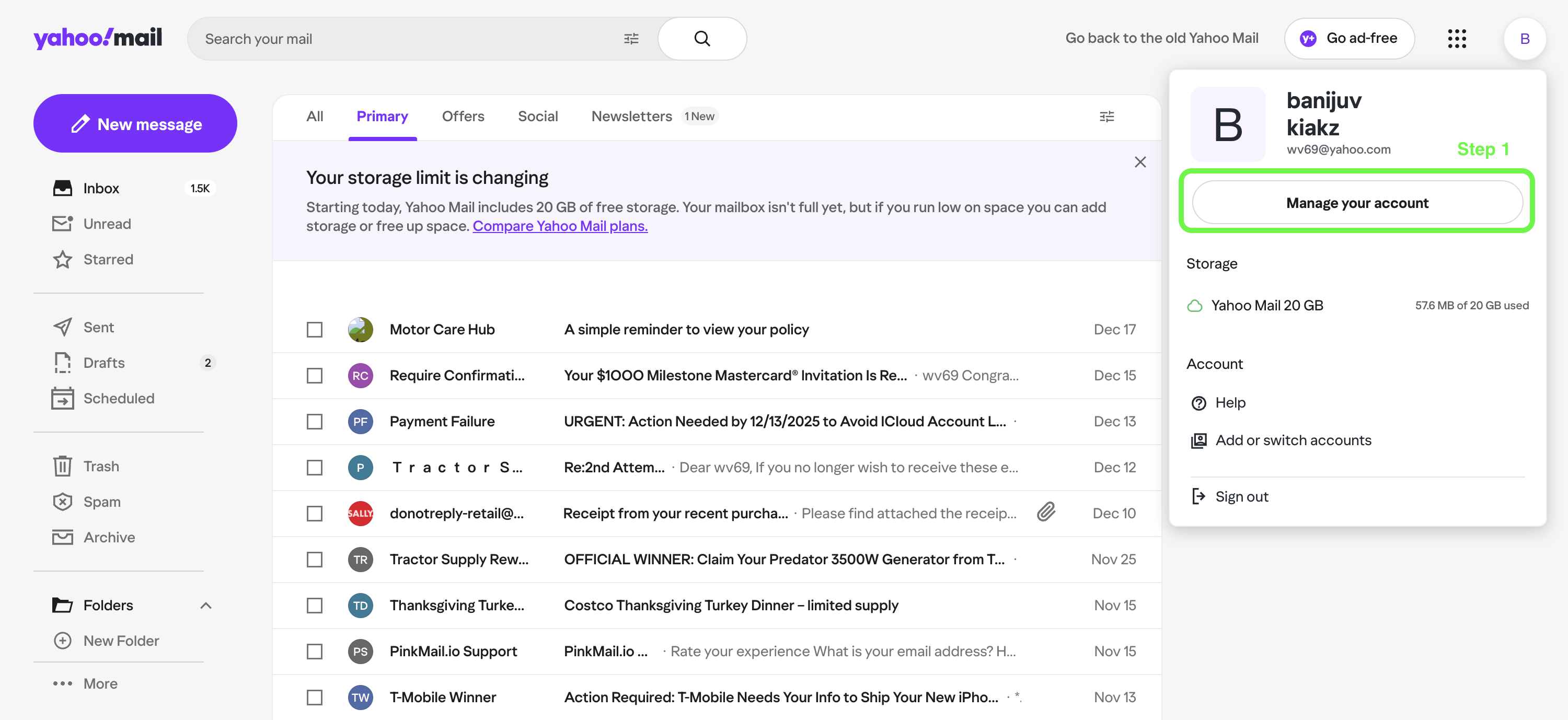
Step 1:
To connect your Yahoo Mail to E-Warmup, you’ll need to create an App password. Simply head over to your mailbox account and click “Manage your account”
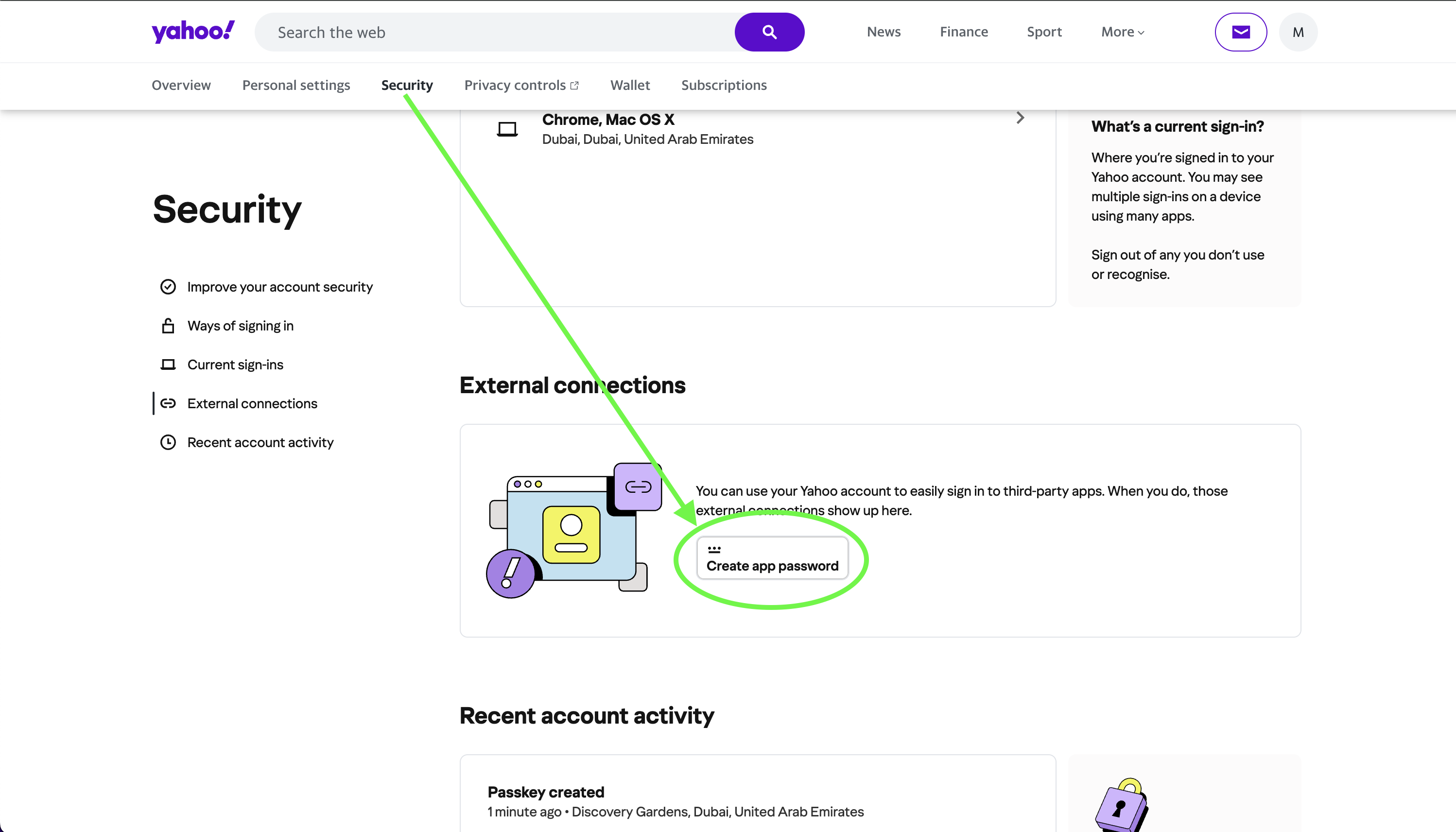
Step 2:
Next, go to the Security tab and click "Create app Password" from External Connections tab:
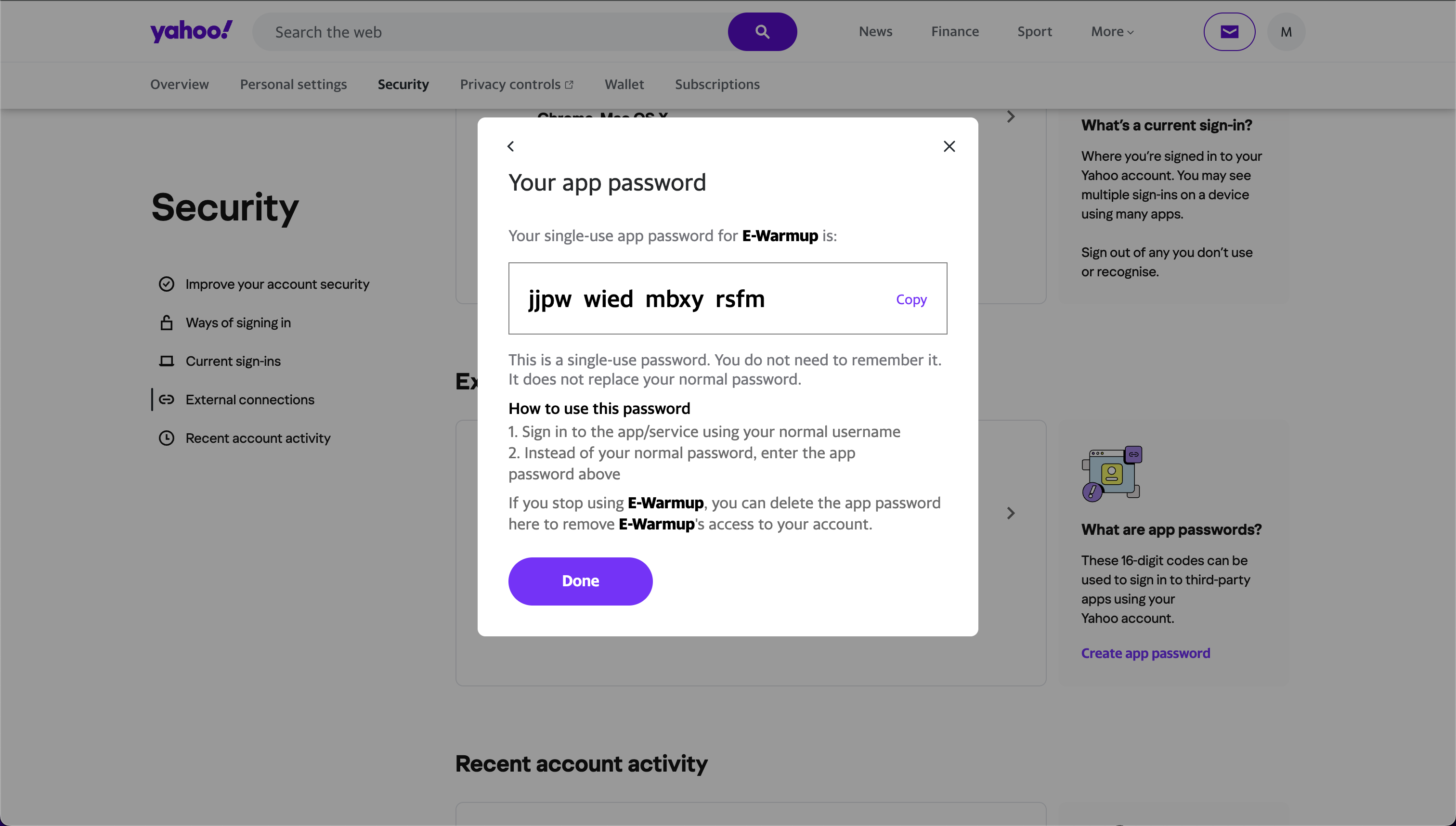
Step 3:
Generate an app password and save it.
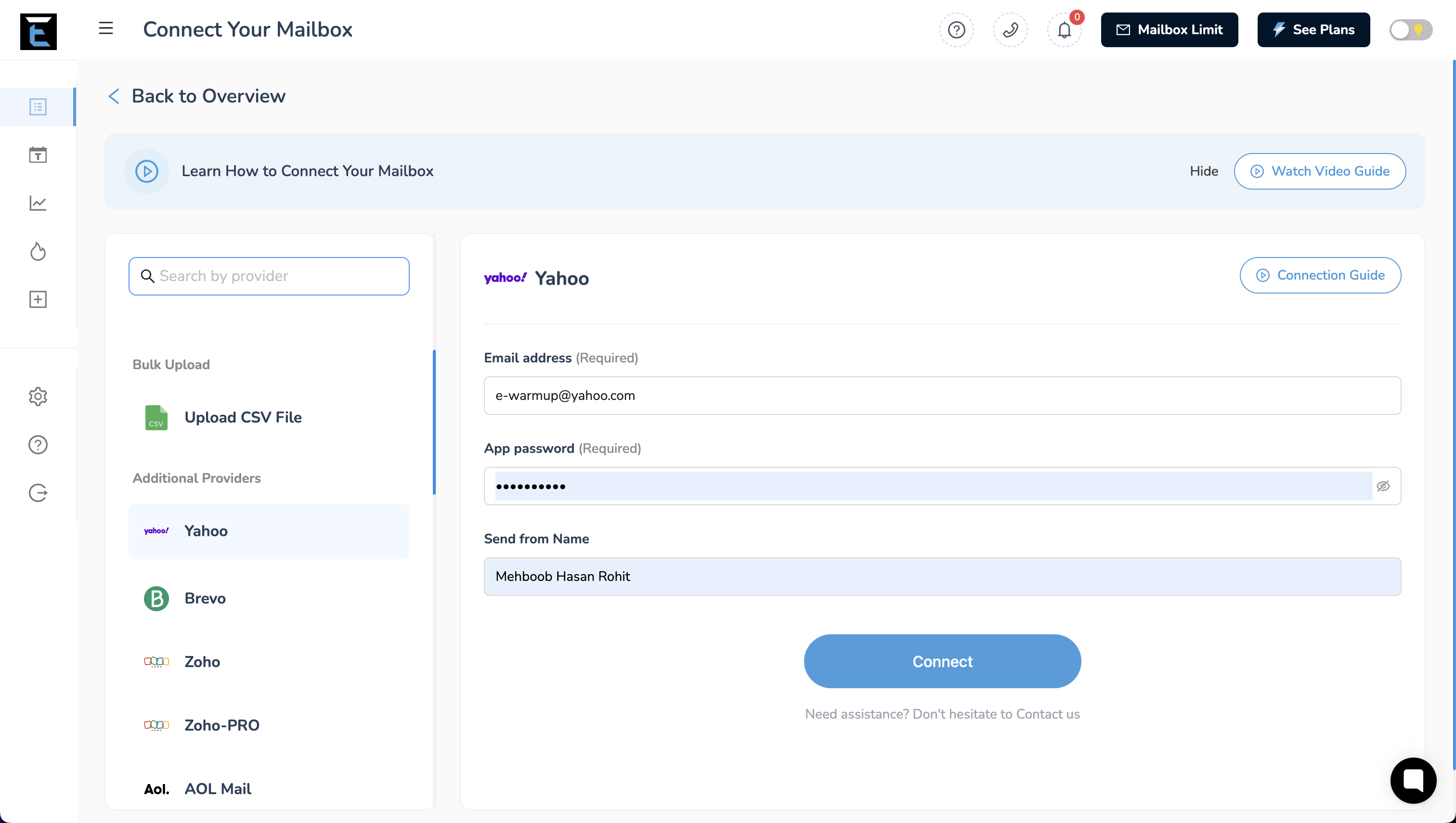
Step 4:
Use this app password to connect your mailbox to E-Warmup.
DONE !!