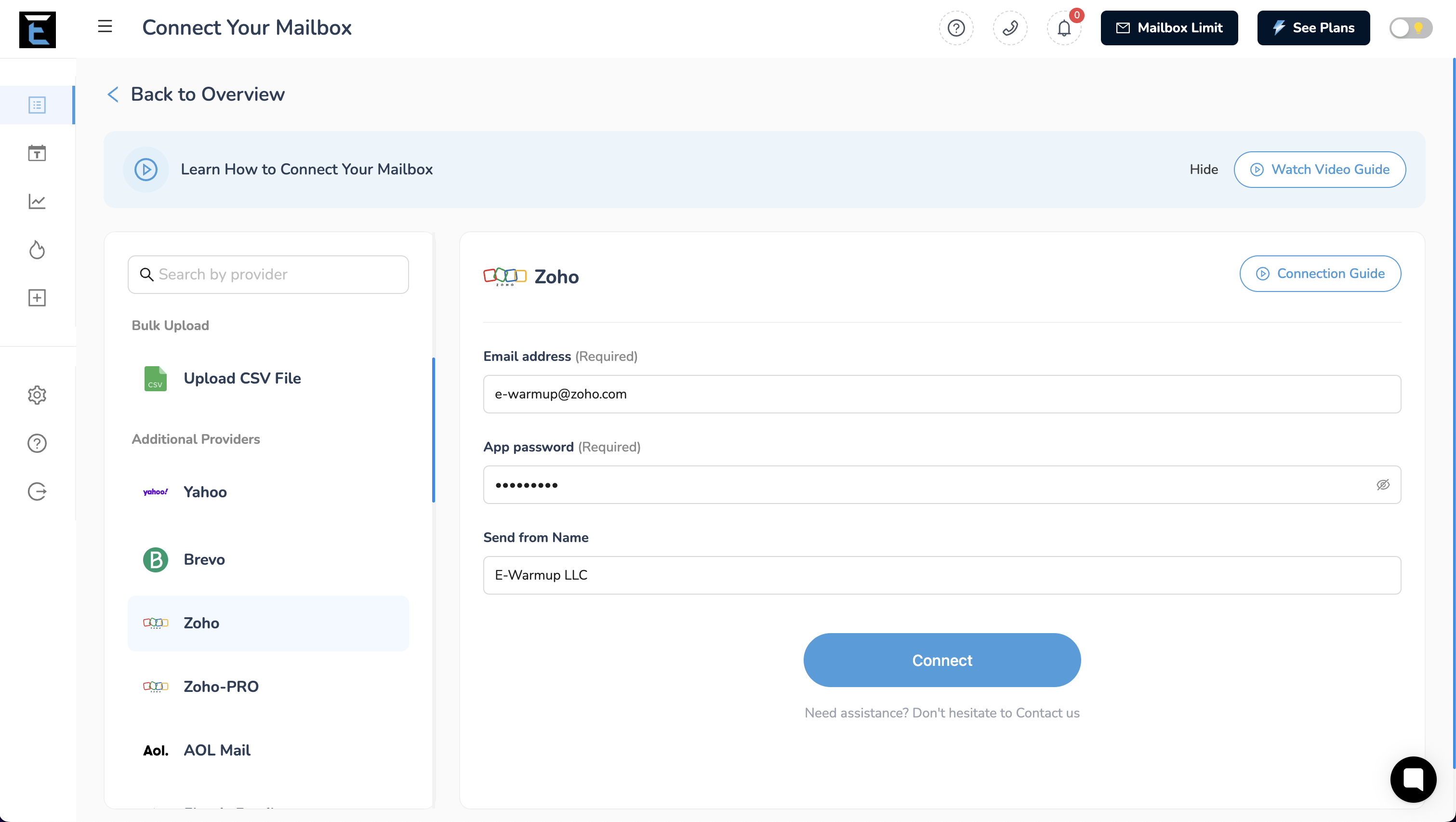
To connect Zoho/Zoho Pro mailbox to our warmup tool, you can follow these steps:
Step 1:
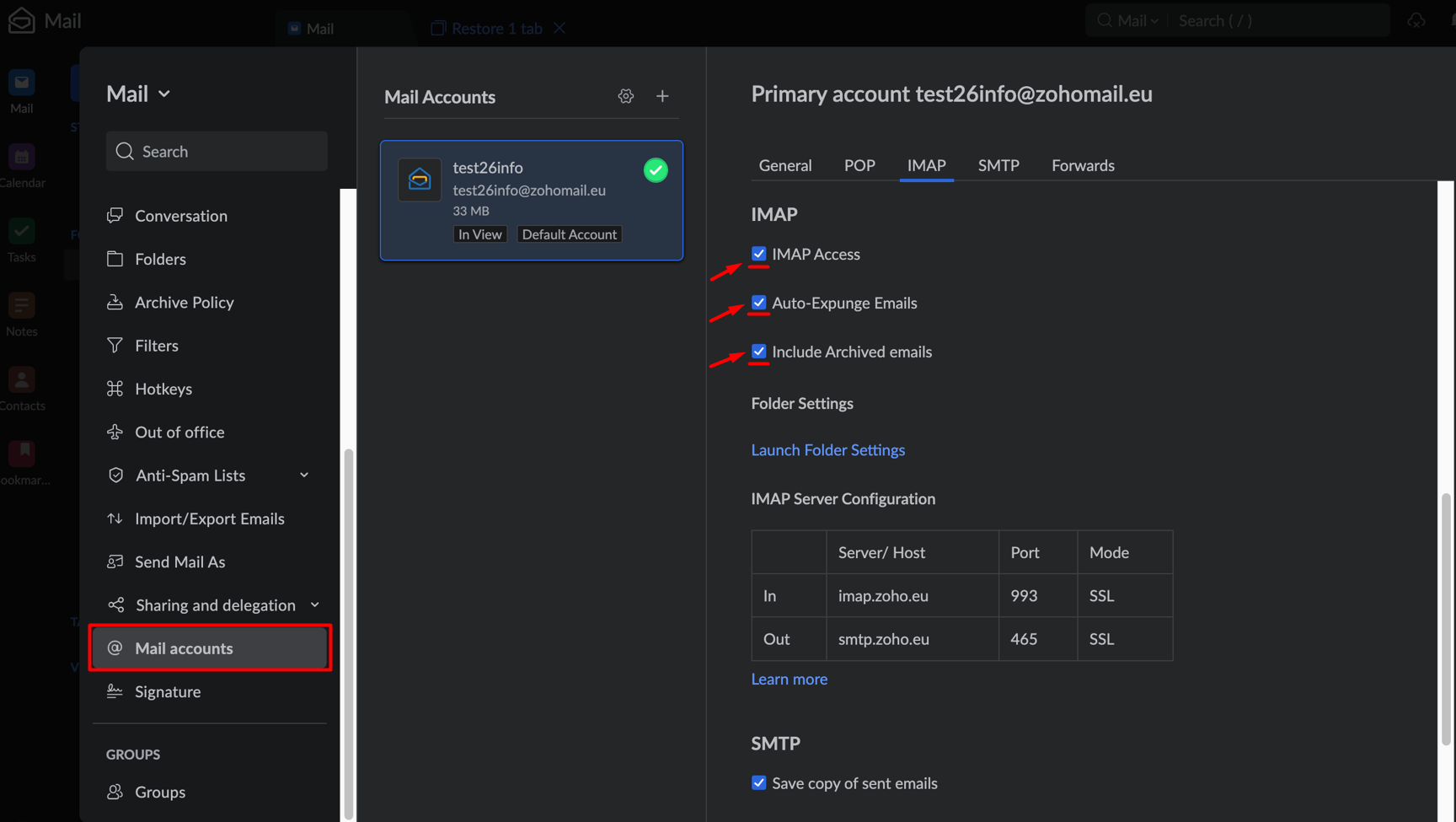
To connect your Zoho mailbox, you’ll need to turn on IMAP access in your account. To do this, head over to your mailbox and click on the settings menu.
Go to the "Mail accounts" tab, select the mailbox you want to connect, find the IMAP section, and grant access.
Step 2:
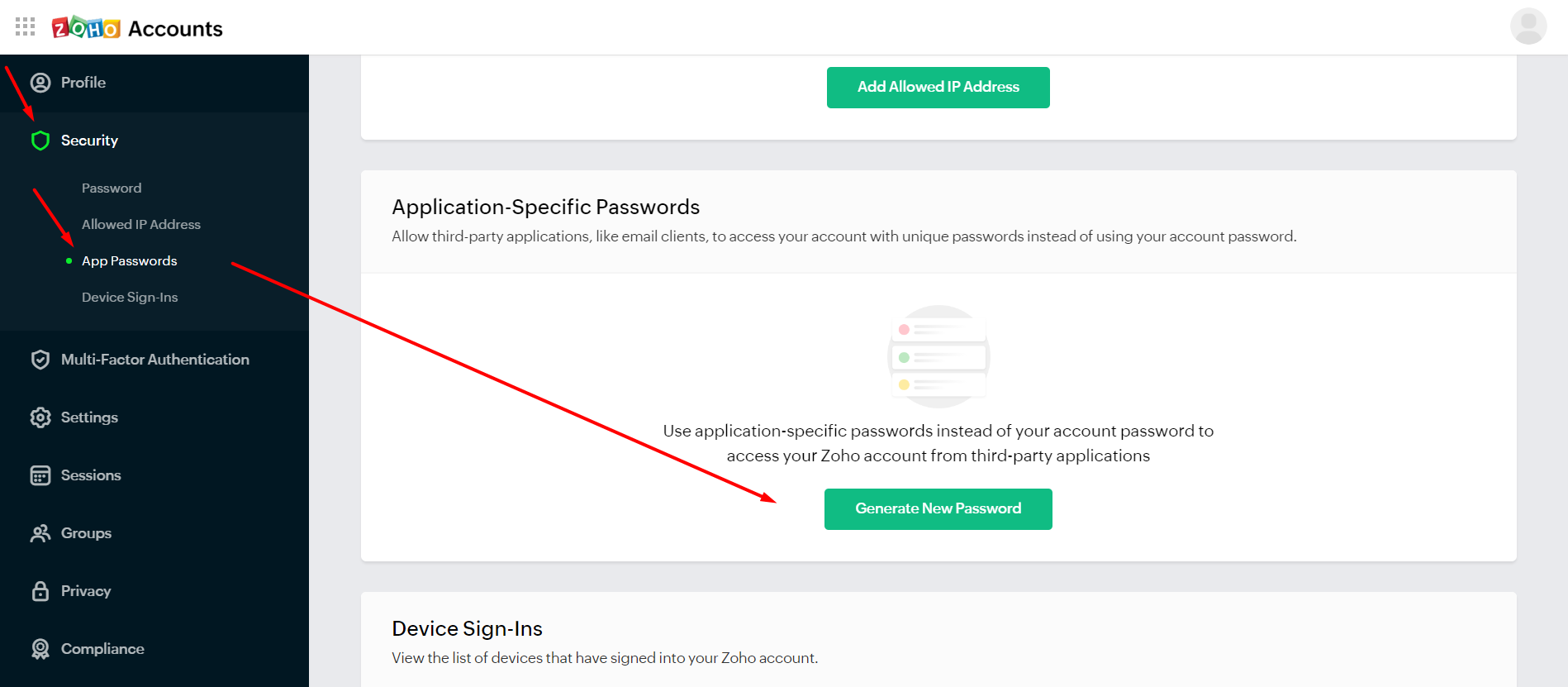
Next, you’ll need to create a password for your mailbox. This password will be used to connect your mailbox to E-Warmup. Go to the My Account > Select the Security > Select App Passwords, and click on Generate Application Password.
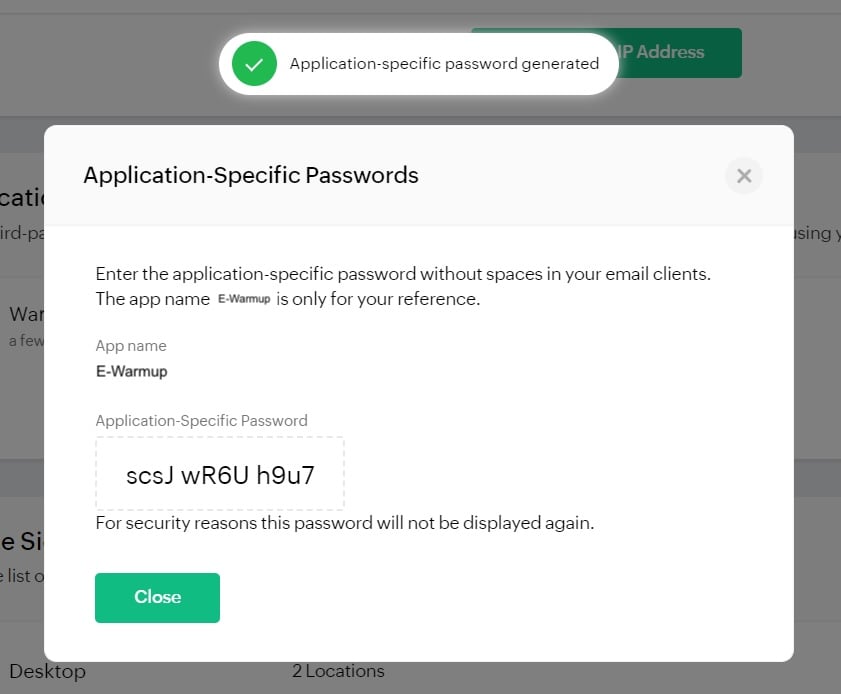
Enter the name of your application password & click Generate button.
Step 3:
Use this app password to connect your Zoho/Zoho Pro mailbox to E-Warmup.