Email sending limits depend heavily on your email provider — but for cold email outreach and high deliverability, the real "safe" daily volume is often much lower than the provider's official maximum. Sudden high-volume sends from new or under-warmed accounts trigger spam filters, even if you're technically under the limit.
E-Warmup helps you build reputation safely through AI-powered, natural conversations — and our plans scale warmup volume progressively so you can ramp up sending confidently.
These are the hard limits set by providers (exceeding them usually results in temporary blocks or suspensions):
Provider | Maximum Daily Emails/Recipients | Notes |
Free Gmail (@gmail.com) | 500 | 100 via SMTP; very strict on cold outreach |
Google Workspace | 2,000 | Up to 10,000 recipients/day in some cases; best for scaling |
Free Outlook | 300 | Highly restrictive for outbound |
Microsoft 365 | 10,000 | Generous, but still requires warmup for cold email |
Zoho Mail (Free/Standard) | 250–500 | Higher tiers (Professional/Premium) up to 1,000–5,000 |
Yahoo / AOL | 500 | Strict spam monitoring |
iCloud | 1,000 | Not ideal for high-volume outbound |
Amazon SES | 62,000+ (after request) | Designed for bulk; needs strong reputation |
SendGrid / Mailgun | 100,000+ | High-volume transactional; excellent for scaled outreach |
Brevo / Mailjet / Elastic Email | 10,000–100,000 | Paid plans unlock higher volumes |
Important: These are absolute caps. For cold email campaigns, sending anywhere near these limits — especially without proper warmup — almost always lands emails in spam or gets accounts flagged.
Industry best practices in 2025–2026 (from deliverability experts, testing, and community data) recommend staying conservative for long-term inbox placement:
Free Gmail → 25–50 cold emails/day per inbox (max ~100 after months of strong reputation)
Google Workspace → 30–100 cold emails/day per inbox (safest at ~30–50)
Microsoft 365 / Outlook → 100–300 cold emails/day per inbox (start lower)
Zoho / Other providers → 50–150 cold emails/day per inbox
Key rule: Never jump to the max. Ramp up gradually over weeks/months. High spam complaints or sudden volume spikes hurt reputation more than anything.
Start low and ramp slowly (E-Warmup handles this automatically via progressive volume increases)
Monitor deliverability in your dashboard (blacklist checks, inbox placement tests included in all plans)
Maintain low spam rates — aim for <0.2% complaints
Use proper authentication (SPF, DKIM, DMARC)
Diversify: Add more mailboxes via the Mailbox Limit Increase Add-on instead of overloading one inbox
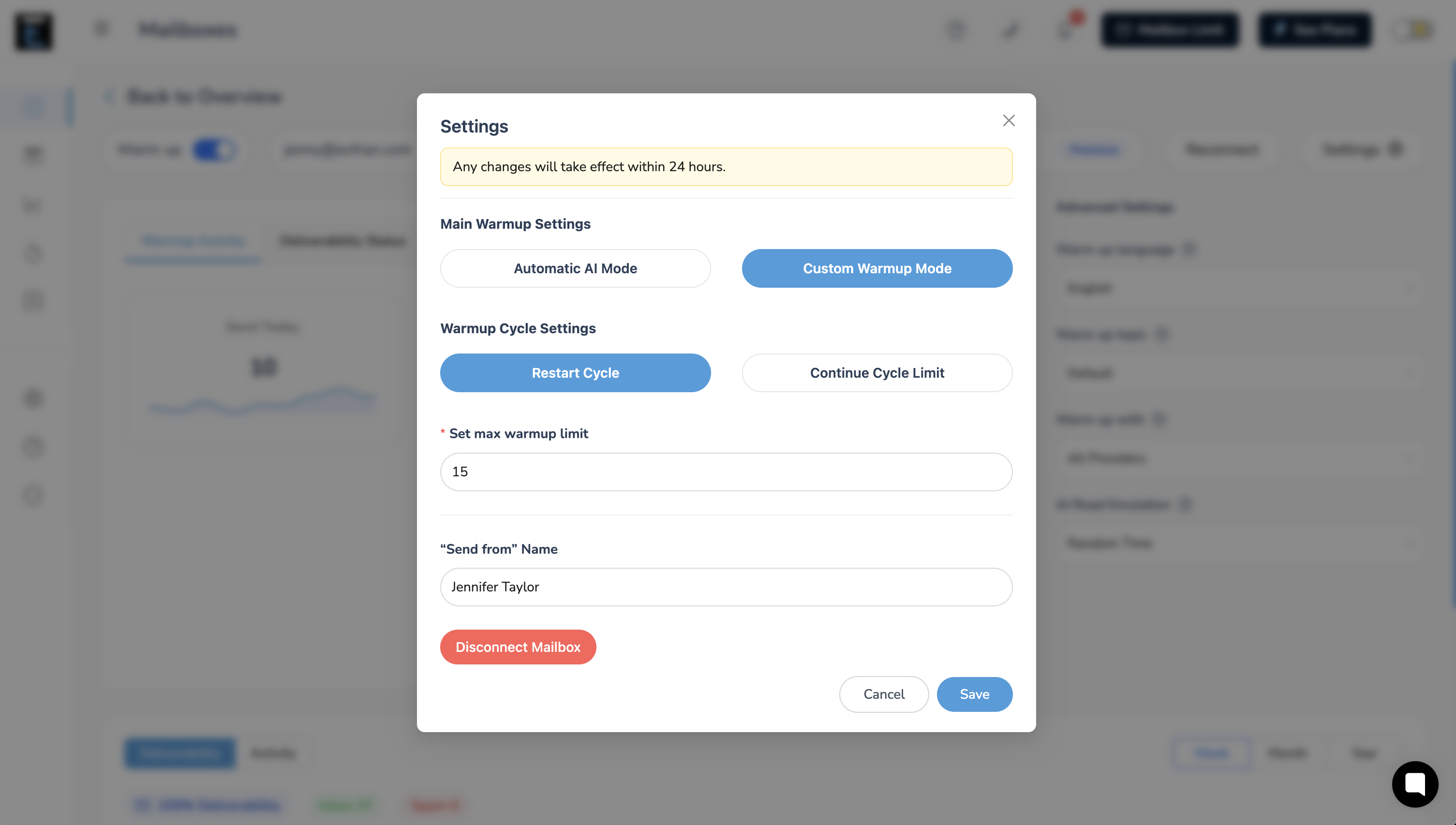
You can always adjust your mailbox warmup settings based on your preferences:
Got questions? Reach out to our support team — we're here to help you scale smarter!