Quick answer: MailerLite doesn't provide SMTP or IMAP access, so you can't connect a mailbox directly to warm it up. Instead, use E-Warmup's Seedlist Warmup: import E-Warmup's seed addresses as a MailerLite group, send a campaign to that group with a tracking code in the email body, and E-Warmup's network engages with those emails to build your domain's sender reputation — the same way a connected-mailbox warmup would.
MailerLite doesn't offer SMTP or IMAP access, so a normal warmup connection isn't possible on this platform. Seedlist Warmup solves that: instead of connecting your mailbox, you add E-Warmup's seed addresses as a group inside MailerLite and send to them from a MailerLite campaign. Our network engages with those emails the same way it does with a connected mailbox, and your sending domain's reputation builds normally — so by the time you're sending real campaigns, your domain is already trusted by inbox providers.
This guide walks you through warming up a MailerLite sending domain with Seedlist Warmup, start to finish.
Prerequisites
An active E-Warmup account (Free)
Seed credits
Access to your MailerLite account, with the sending domain you want to warm up already verified in MailerLite
Log in to your E-Warmup dashboard and open the Seedlist Warmup section from the left navbar.
Select a pack that matches your needs:
Warmup Launch – 200 credits ($19 one-time)
Warmup Campaign – 600 credits ($37 one-time)
Warmup Session – 1,000 credits ($55 one-time)
Or contact us for a DFY / custom pack
Credits never expire and can be used across unlimited campaigns.
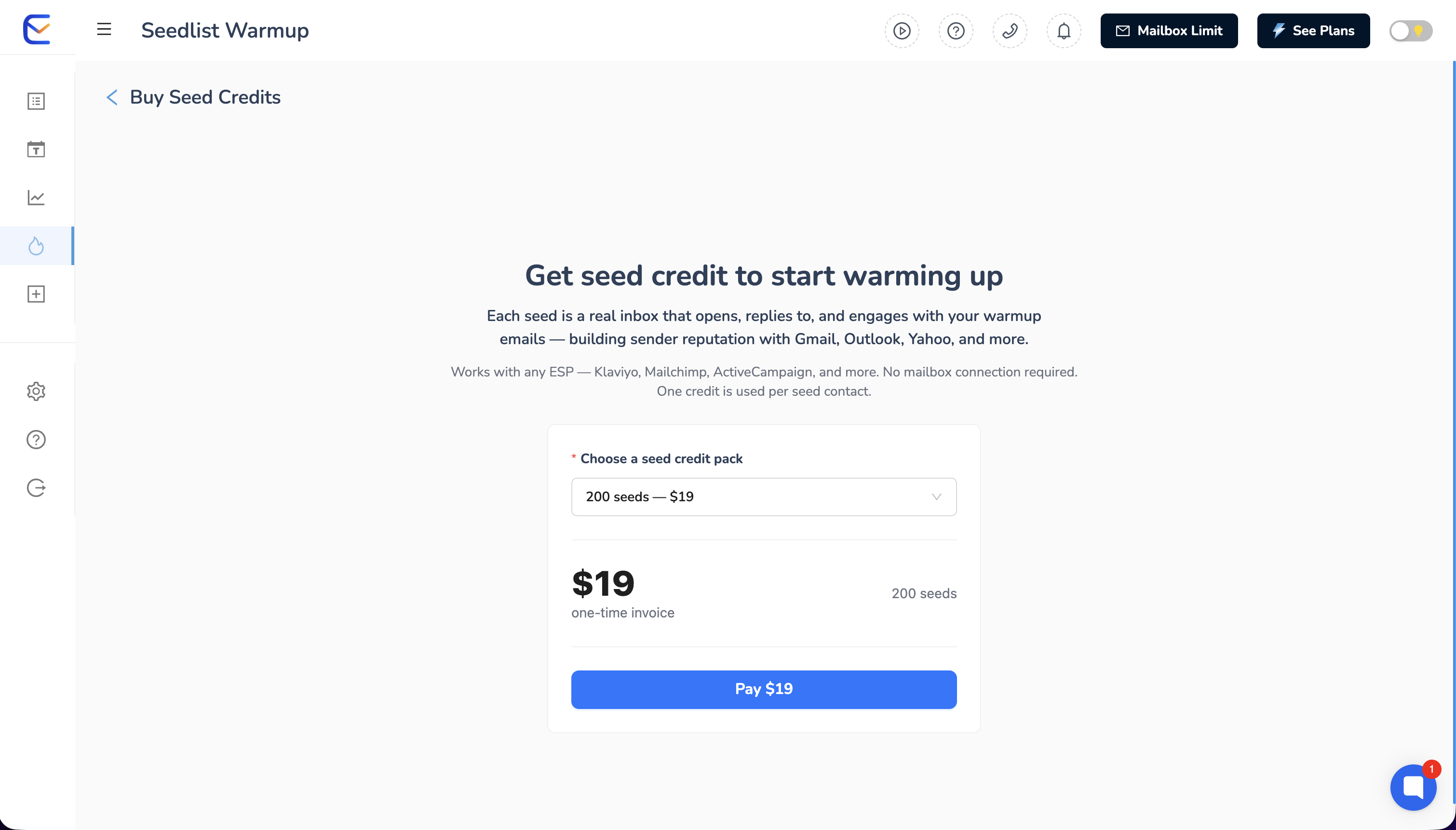
Not sure which pack to choose? Contact live chat support and we'll help you size it to your sending volume.
Sender Address – Enter the exact "from" email address you'll use to send the campaign from MailerLite (this should be on the domain you're warming up).
Download the seed list – Download the latest seed list (CSV). Lists are mixed across Gmail, Outlook, and Yahoo and support both B2B and B2C orientations. Always download a fresh list before a new campaign.
Import the seed list into MailerLite – In MailerLite, go to Subscribers → Import subscribers, and upload the CSV into a new or dedicated group. This becomes the recipient group for your warmup campaign.
Set up tracking – Copy the unique tracking code from the Tracking setup box. In MailerLite's campaign editor, paste this code into the email body of the email you're sending to the seed group. This is how E-Warmup detects when your emails reach the seed addresses. After adding the code, check the box: "I've added the tracking code to my email body."
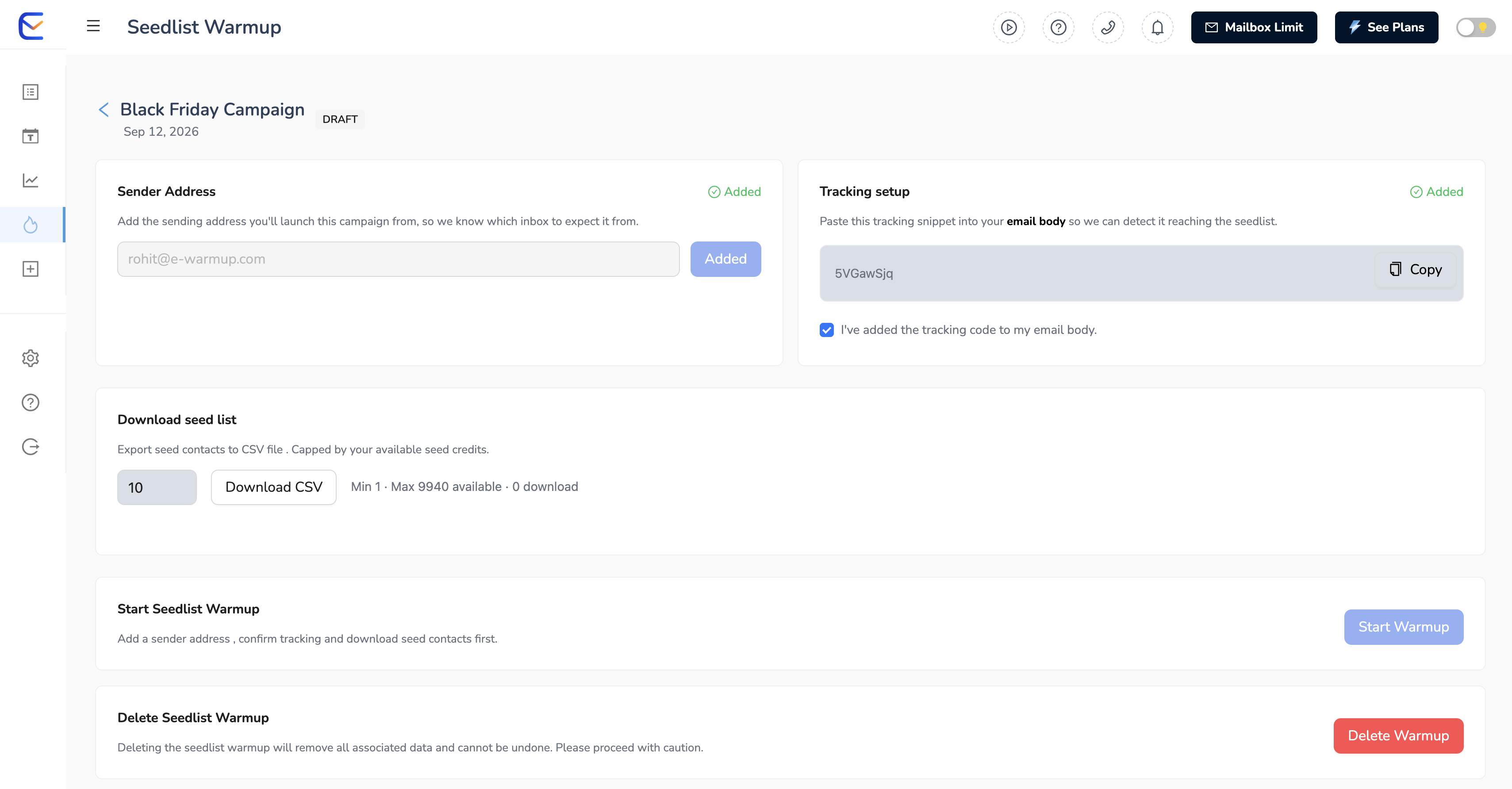
In MailerLite, create a regular campaign, set the recipient group to the seed group you just imported, and send or schedule it as normal. Then return to your E-Warmup Seedlist Warmup campaign, click Start Warmup, and select when the seed warmup system should begin.
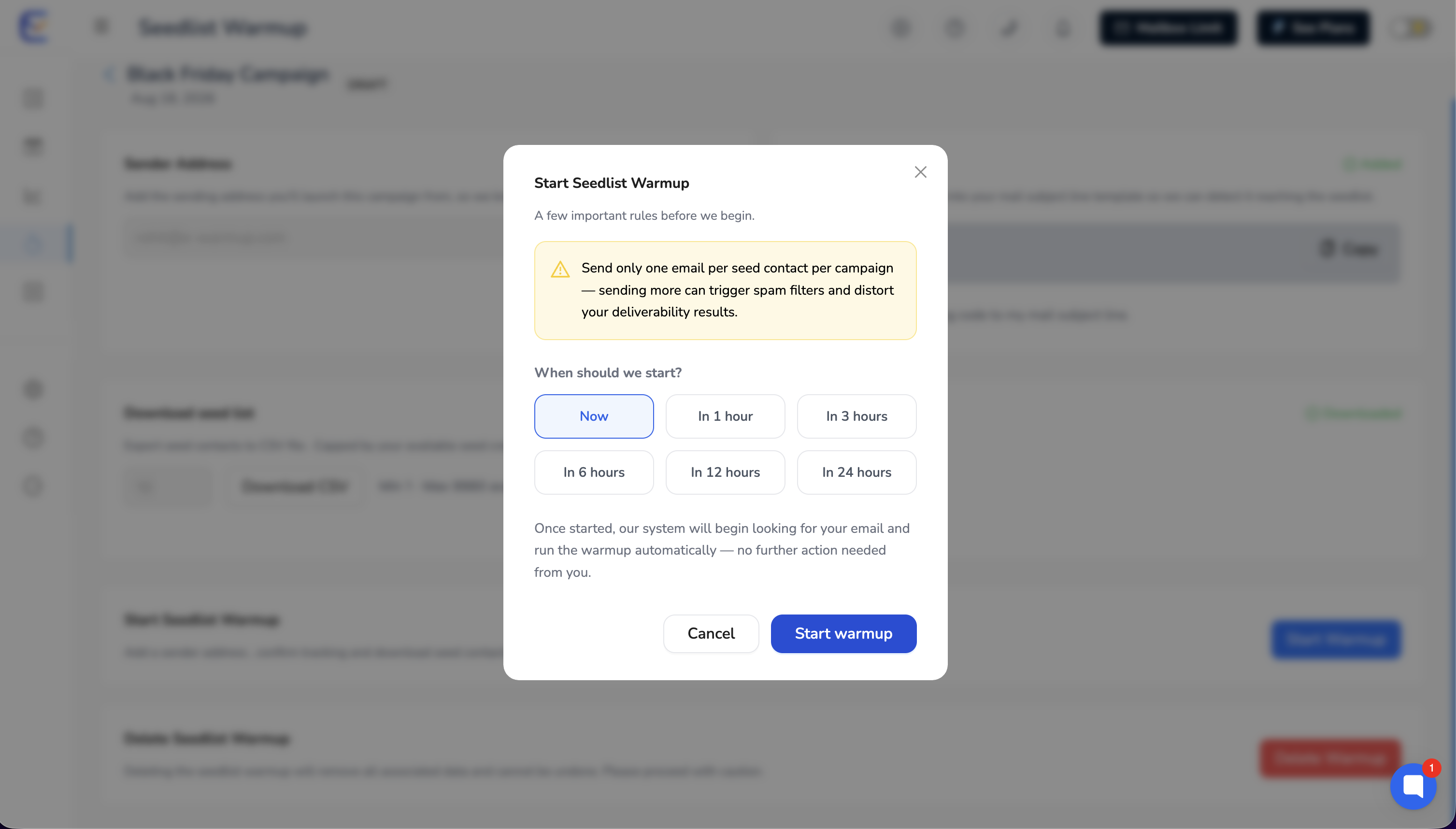
Note: Send this campaign only to the seed group you imported — not to your real subscribers.
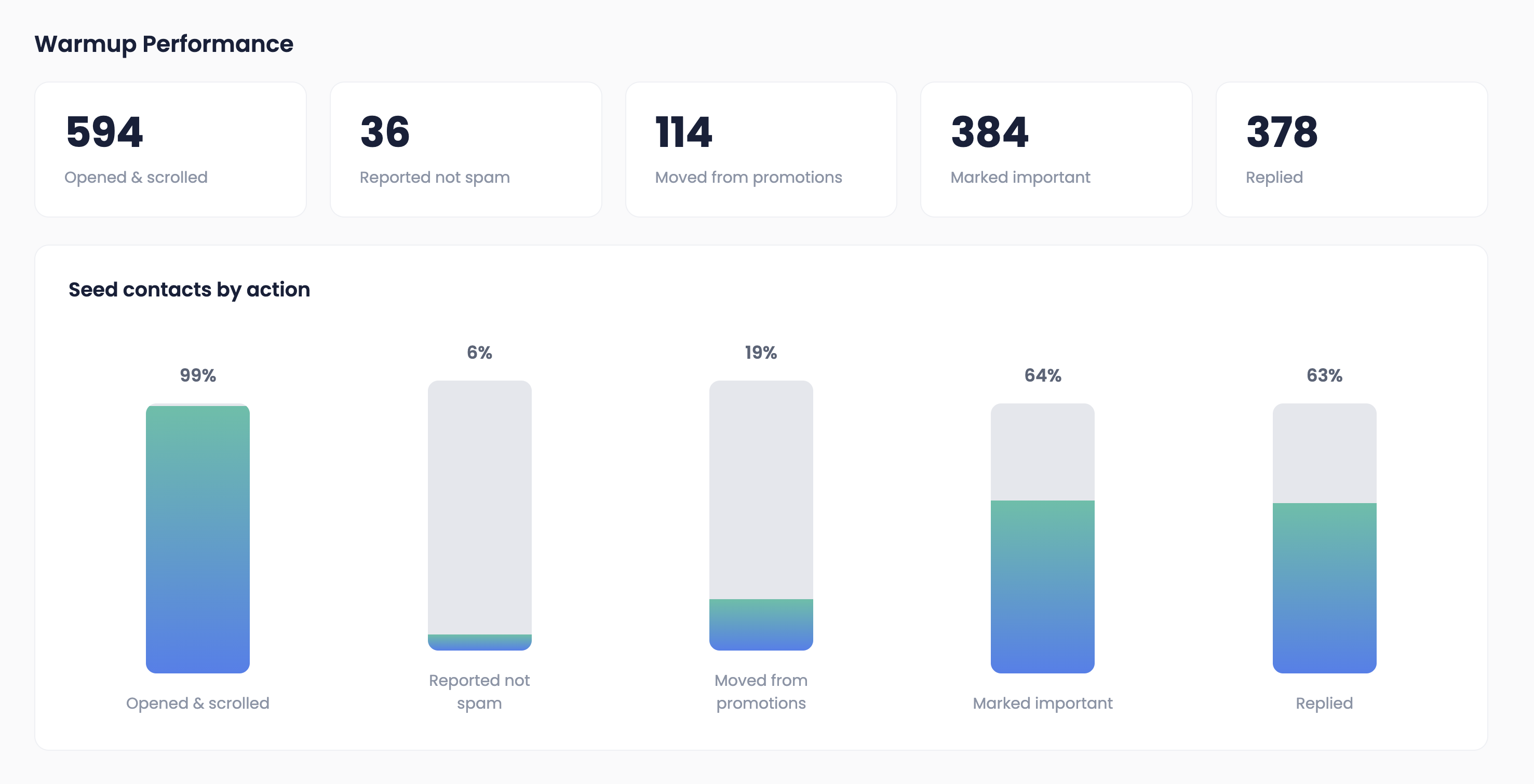
Return to your E-Warmup campaign page to track engagement and inbox placement as the seeds start interacting with your emails.
Quick tips
Always use the exact sender address you registered, and make sure it's on the domain you're warming up.
Never remove the tracking code from the email body.
Start with a smaller seed list and increase gradually as your domain reputation builds.
Credits are only used when you download the CSV.
Keep the seed group separate from your real MailerLite groups so warmup sends never mix with live campaigns.
Can you warm up a domain in MailerLite without SMTP access? Yes. MailerLite doesn't support SMTP/IMAP mailbox connections, so E-Warmup uses Seedlist Warmup instead — you send to a seed group from inside MailerLite, and E-Warmup's network handles the engagement that builds domain reputation.
How long does MailerLite domain warmup take? Warmup timelines depend on your current sending volume and domain age, but most users start with a smaller seed list and scale up gradually over several weeks, as noted in the Quick tips above.
Does Seedlist Warmup work for other platforms without SMTP, like Klaviyo or Mailchimp? Yes — the same seed-list method works for any ESP that doesn't expose SMTP/IMAP, including Klaviyo, Mailchimp, ActiveCampaign, Constant Contact, AWeber, GetResponse, Omnisend, HubSpot, and Shopify.
Where do I get the tracking code for my MailerLite campaign? It's shown in the Tracking setup box in your E-Warmup Seedlist Warmup campaign — copy it into the email body of the MailerLite email you send to your seed group.
Need more details about Seedlist Warmup? Check this article: Introducing Seedlist Warmup for Mailchimp, Klaviyo, Omnisend, Shopify, and any ESP that doesn't support SMTP.
Introducing Seedlist Warmup
Warmup for Mailchimp, Klaviyo, Omnisend, Shopify, and any ESP that doesn’t support SMTP