Moosend, like most modern email marketing platforms, doesn't expose SMTP or IMAP credentials — so there's no mailbox to plug into a warmup tool the traditional way. If you're trying to build sender reputation for a domain you send from in Moosend, Seedlist Warmup is the workaround: you send real campaigns from inside Moosend to a list of E-Warmup's seed addresses, and our network handles the opens, replies, and inbox-placement signals that a warmup process depends on.
A standard warmup connects directly to a mailbox and sends/receives on a schedule automatically. Moosend doesn't allow that kind of direct connection, so the mechanics flip: instead of E-Warmup logging into your inbox, you send Moosend campaigns to our seed list, and E-Warmup detects and engages with them using a tracking code embedded in the email body. The reputation-building effect on your sending domain is the same either way — only the delivery mechanism changes.
Before you start, make sure you have:
An active E-Warmup account with Seedlist credits (or purchase a pack in the Seedlist section)
Your Moosend account set up, with the sending domain you're warming up already verified there
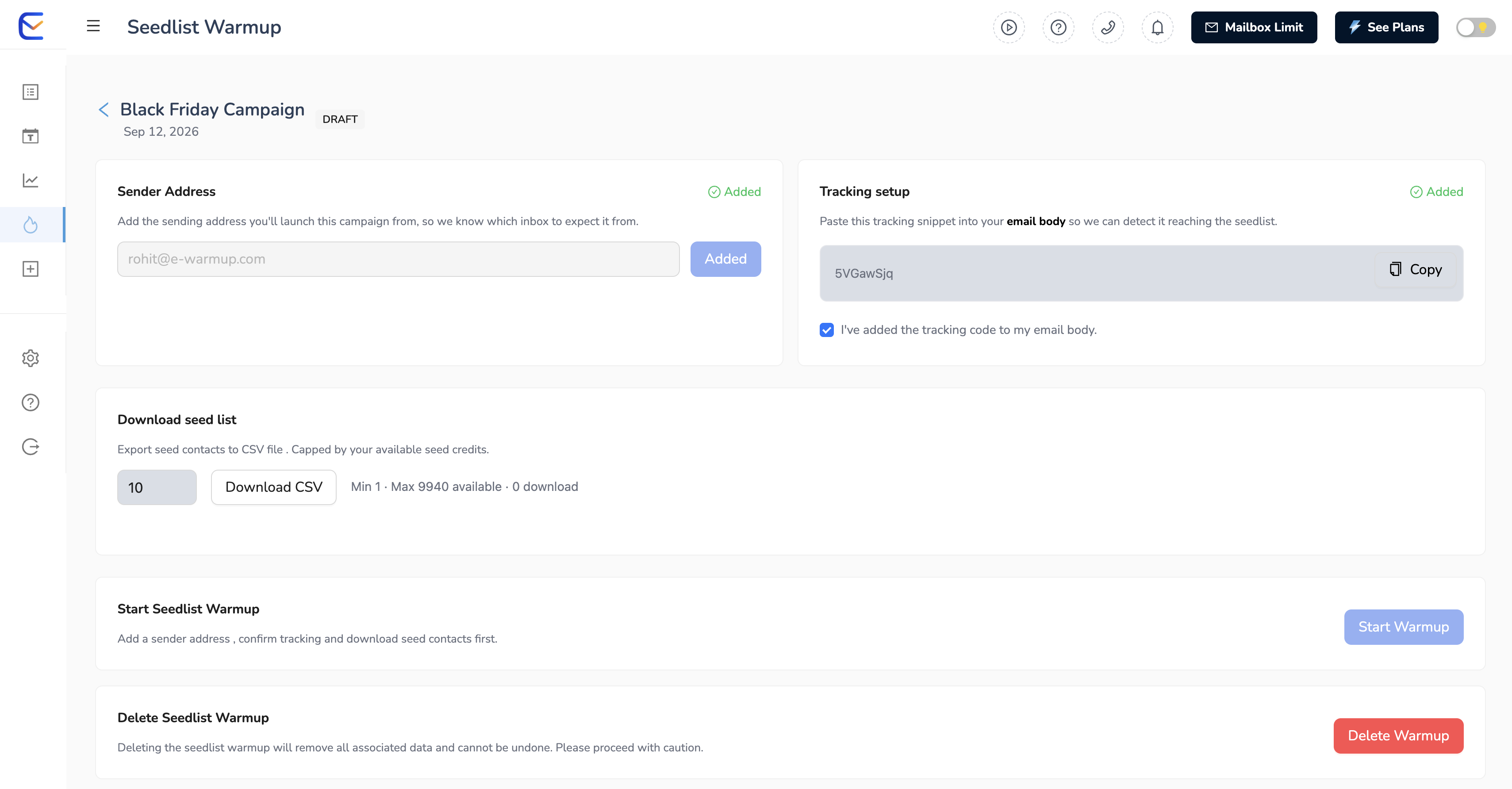
Head to Seedlist Warmup in your E-Warmup dashboard. It's in the left navbar.
Pick a credit pack. Warmup Launch gets you 200 credits for $19 one-time; Warmup Campaign is 600 credits for $37; Warmup Session is 1,000 credits for $55. For high-volume needs, reach out about a custom or DFY pack. Credits don't expire, so buying a larger pack up front is safe even if you're warming up gradually. Unsure what size fits your sending volume — ping live chat and we'll help you size it.
Enter your sender address. This is the exact "from" address you'll send the Moosend campaign from — make sure it matches the domain you're warming up.
Grab a fresh seed list. Download the CSV from the Seedlist Warmup dashboard. It's a mix of Gmail, Outlook, and Yahoo addresses across B2B and B2C profiles. Download a new one for every campaign — don't reuse an old file.
Load the list into Moosend. In Moosend, go to Mailing Lists → your list → Import Subscribers, and upload the CSV. Keep this as its own list, separate from your real audience.
Add the tracking code. Copy the tracking code from your E-Warmup dashboard and drop it into the email body of the campaign you're about to send in Moosend. Then check "I've added the tracking code to my mail email body" back in E-Warmup — this confirms setup is complete.
Send the campaign in Moosend, then start warmup in E-Warmup. Build and send (or schedule) your campaign in Moosend to the seed list only. Once it's sent, go back to your E-Warmup Seedlist Warmup campaign, hit Start Warmup, and choose when the system should begin engaging.
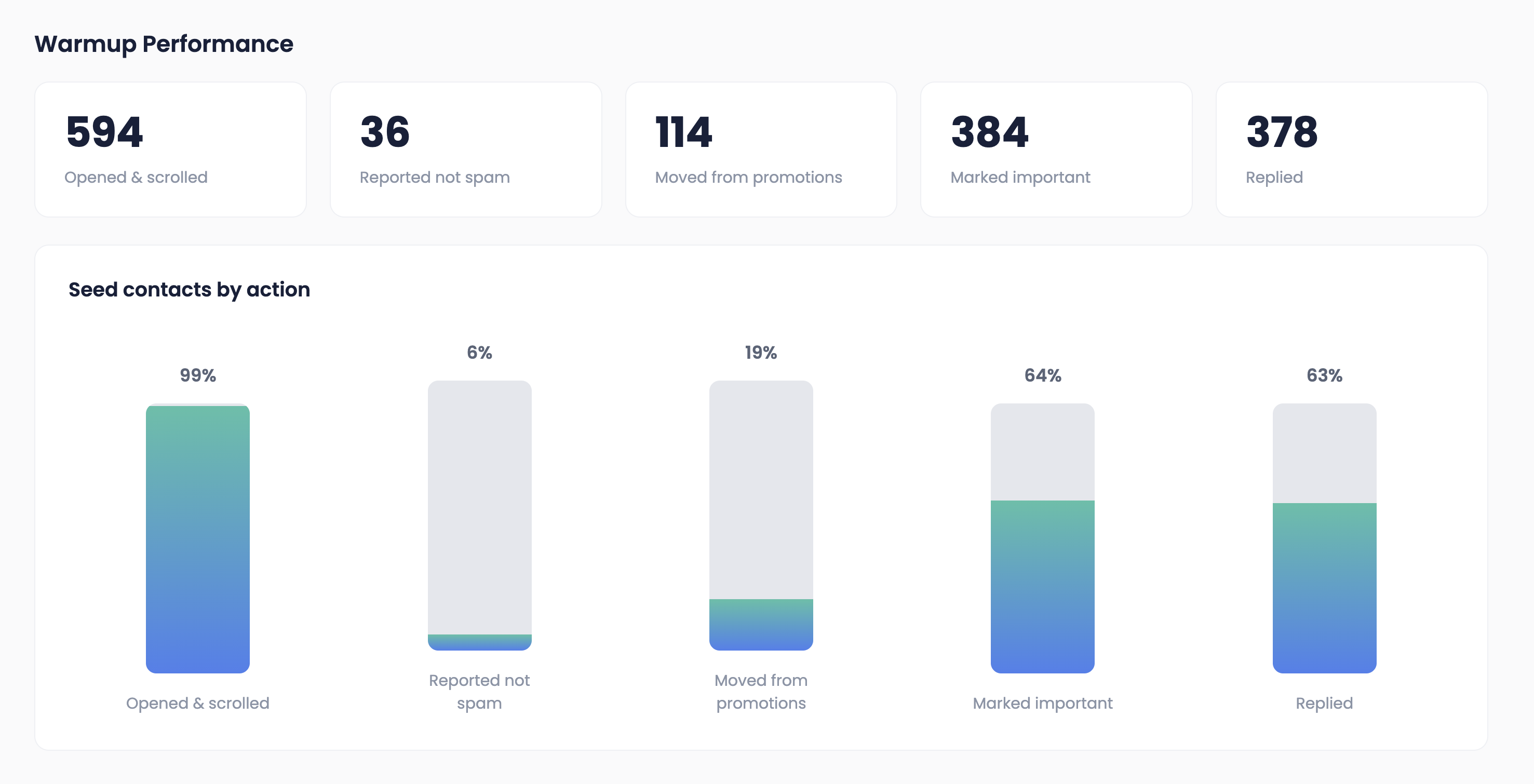
Engagement and inbox placement results show up on your E-Warmup campaign page as the seed addresses start interacting with your emails — check back there rather than in Moosend's own analytics, since Moosend won't show you inbox-placement data.
Sending the warmup campaign to your real Moosend audience instead of the seed-only list
Forgetting the tracking code, or editing the email body after adding it
Using a sender address that doesn't match the domain you're actually warming up
Ramping seed volume up too fast — ease in and increase gradually
Forgetting that credits are consumed on CSV download, not on send
Does Moosend support mailbox warmup directly? No — Moosend doesn't provide SMTP/IMAP access, which rules out a direct mailbox connection. Seedlist Warmup is the alternative: you send from Moosend to E-Warmup's seed list rather than connecting a mailbox.
How many seed contacts should I start with in Moosend? There's no fixed number, but starting smaller and scaling up over a few weeks is safer than sending to a large seed list on day one, especially on a new or previously-flagged domain.
Can I use the same seed list for multiple Moosend campaigns? Download a fresh CSV before each new campaign rather than reusing an old one — the list refreshes regularly on E-Warmup's side.
What other platforms without SMTP access work with Seedlist Warmup? The same method covers Klaviyo, Mailchimp, ActiveCampaign, Constant Contact, AWeber, GetResponse, MailerLite, Omnisend, HubSpot, Shopify, and any other ESP that doesn't expose SMTP.